
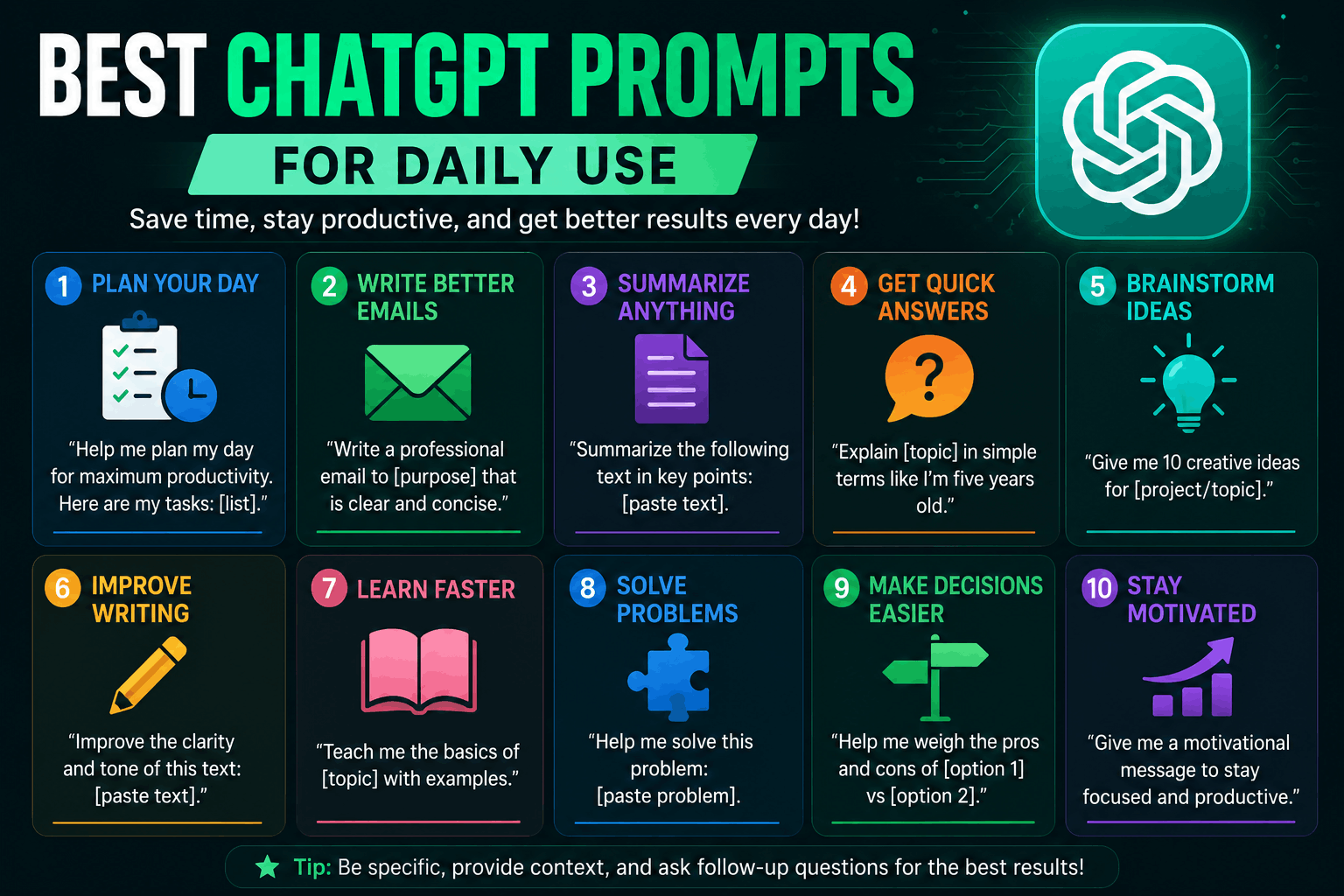
A few months ago, I had one of those frustrating days where everything felt slower than it should’ve been.
I needed to reply to emails, write a blog intro, plan social media posts, fix a weird sentence in an article, and organize my work for the week. I opened ChatGPT hoping it would save time, but instead I kept getting boring answers that sounded robotic and repetitive.
The problem wasn’t ChatGPT.
It was my prompts.
At that point, I was typing lazy requests like:
“Write article”
or
“Give ideas”
That’s basically like asking someone to “make food” without telling them what you want to eat.
Once I learned how to write better prompts, ChatGPT became genuinely useful for daily tasks. Not perfect. Not magical. But useful enough that I now use it almost every day for writing, planning, learning, productivity, and even small life tasks.
This article isn’t about complicated “expert-level prompt engineering.”
These are simple prompts real people can actually use daily without sounding technical.
Why Most ChatGPT Prompts Fail
Before sharing the best prompts, here’s something I learned after weeks of trial and error.
Short prompts create generic responses.
That’s why people sometimes think AI tools are overrated.
For example:
Bad prompt:
“Write Instagram caption”
Better prompt:
“Write a short Instagram caption for a tech page promoting free AI tools in a casual and friendly tone.”
Huge difference.
The more context you provide, the better the result usually becomes.
A Simple Formula That Works Almost Every Time
This one habit improved my prompts more than anything else.
Instead of typing random requests, include these 3 things:
- What you want
- The tone/style
- The purpose
Example:
“Write a professional but friendly email asking for a project update.”
Simple. Clear. Useful.
1. Best ChatGPT Prompt for Writing Emails
I use this almost daily because writing emails repeatedly gets exhausting.
Prompt
“Write a polite and professional email replying to a client who asked for project delivery updates. Keep it short and friendly.”
This works especially well when:
- You’re tired
- You don’t know how to phrase something politely
- You want faster replies
What I Learned
Never copy the email exactly as AI writes it.
Always personalize:
- Names
- Details
- Tone
- Specific information
Otherwise emails can feel strangely robotic.
2. Prompt for Daily To-Do Lists
This one surprisingly improved my productivity.
Prompt
“Create a realistic daily schedule for someone working from home who wants to balance work, exercise, and content creation.”
I tested this during a busy week when my routine was a mess.
Instead of creating impossible schedules like:
- Wake up at 4 AM
- Work 16 hours
- Become millionaire by Friday
ChatGPT actually helped organize tasks realistically when prompted properly.
Small Tip
Mention your real situation:
- Student
- Freelancer
- Full-time employee
- Creator
That changes the suggestions a lot.
3. Prompt for Content Ideas
This is one of my most-used prompts.
Prompt
“Give me 20 video ideas for a beginner-friendly tech TikTok account focused on AI tools and productivity.”
Whenever I run out of content ideas, this helps restart momentum quickly.
Real Experience
At first, I used vague prompts and got terrible ideas like:
- “Technology is changing the world”
Completely useless.
Specific niches create much better results.
4. Prompt for Rewriting Awkward Text
Sometimes you write something that technically makes sense but sounds weird when you read it again.
I use this constantly while blogging.
Prompt
“Rewrite this paragraph in a more natural and conversational tone while keeping the meaning the same.”
This works well for:
- Blog posts
- Captions
- Product descriptions
- Emails
Mistake to Avoid
Don’t let AI remove your personality completely.
Sometimes AI rewrites sound too polished and unnatural.
5. Prompt for Learning New Skills Faster
This one helped me understand topics without wasting hours watching random tutorials.
Prompt
“Explain Shopify dropshipping to a complete beginner using simple language and step-by-step examples.”
The best part is you can ask follow-up questions immediately.
That makes learning feel more interactive than reading long articles sometimes.
Great Topics for This
- Freelancing
- Coding
- Video editing
- SEO
- Finance basics
- AI tools
6. Prompt for Social Media Captions
I used to overthink captions for way too long.
Now I use prompts like this:
Prompt
“Write 10 short Instagram captions for a tech page sharing AI website tips. Keep them casual and engaging.”
This saves time especially when posting regularly.
Helpful Addition
Mention:
- Platform
- Audience
- Tone
- Topic
Example:
“for LinkedIn”
“for Gen Z audience”
“professional tone”
7. Prompt for YouTube Script Ideas
This became useful when creating short-form videos.
Prompt
“Write a 60-second YouTube Shorts script explaining one useful AI website in an energetic and simple tone.”
The first scripts I generated sounded too formal.
Adding:
- “casual”
- “fast-paced”
- “human tone”
made the output much better.
8. Prompt for Studying
Students can honestly save a lot of time with this.
Prompt
“Summarize this chapter in simple bullet points for quick revision.”
Or:
“Explain this topic like I’m 15 years old.”
I tested this while learning technical topics and it simplified confusing explanations dramatically.
Important Note
Still verify information from trusted sources.
AI can occasionally explain things incorrectly.
9. Prompt for Resume Improvement
This one is practical if you’re applying for jobs or freelance work.
Prompt
“Improve this resume summary for a beginner freelancer applying for social media management jobs.”
You can also ask:
- Make it more professional
- Make it shorter
- Add stronger wording
What Helped Me Most
Using AI for structure rather than fake experience.
Never ask AI to invent skills you don’t have.
10. Prompt for Brainstorming Business Ideas
This prompt helped me discover online opportunities I hadn’t considered before.
Prompt
“Give me beginner-friendly online business ideas that can be started with low budget and basic laptop skills.”
The answers aren’t always perfect, but they can spark useful ideas.
Sometimes one small suggestion leads to a completely different opportunity.
11. Prompt for Fixing Writer’s Block
Every content creator eventually gets stuck.
I definitely did.
Prompt
“Give me 10 blog intro ideas for an article about AI tools for freelancers.”
This helps when:
- Your brain feels empty
- You keep rewriting the same sentence
- You don’t know how to start
Real Observation
AI is often better at starting content than finishing it naturally.
Human editing still matters.
12. Prompt for Product Descriptions
If you sell products online, this saves a lot of repetitive work.
Prompt
“Write a short ecommerce product description for wireless gaming headphones in a modern and engaging tone.”
Useful for:
- Shopify stores
- Etsy listings
- Amazon products
Mistake I Made
Early AI descriptions sounded overly dramatic.
Editing them into simpler language improved conversion rates.
13. Prompt for Travel or Daily Planning
This one became unexpectedly useful.
Prompt
“Create a one-day travel plan for Karachi with affordable food spots and relaxing places.”
Or:
“Plan a productive Sunday routine for someone trying to reduce screen time.”
Small daily-life prompts can actually be surprisingly helpful.
14. Prompt for Improving Prompt Quality
This is one of the smartest prompts you can use.
Prompt
“Improve my prompt to get a better result from ChatGPT.”
Seriously.
Sometimes ChatGPT helps rewrite your own prompt into something clearer and more detailed.
I use this more often than I expected.
Common Mistakes People Make With ChatGPT Prompts
Using Extremely Short Prompts
This is the biggest one.
Bad:
“write blog”
Better:
“Write a beginner-friendly blog post about AI tools for students in a casual tone.”
More detail = better results.
Expecting Perfect Results Instantly
Sometimes the first response is average.
That’s normal.
Good prompting is often conversational.
Ask follow-up questions.
Refine requests.
Adjust tone.
Copy-Pasting Everything Without Editing
This creates robotic content fast.
Readers notice when content lacks:
- Personality
- Experience
- Emotion
- Real examples
Use AI as assistance, not autopilot.
My Personal Daily Workflow With ChatGPT
Here’s roughly how I use it now.
Morning
- Daily task planning
- Content ideas
- Quick summaries
Afternoon
- Writing help
- Captions
- Research assistance
Evening
- Rewriting awkward text
- Brainstorming future projects
- Organizing notes
I don’t use ChatGPT to replace thinking.
I use it to reduce repetitive mental work.
That difference matters.
Best Tip for Better ChatGPT Results
Talk to it like you’re explaining something to a real assistant.
Most people type:
“ideas pls”
Then wonder why the results are weak.
Instead, explain:
- What you need
- Why you need it
- Who it’s for
- What tone you want
That simple change improves results dramatically.
The funny thing is, once you learn better prompts, ChatGPT starts feeling less like a random chatbot and more like a genuinely useful daily tool.
