A few months ago, I spent almost two hours trying to make a simple YouTube thumbnail.
I opened editing software, searched for stock photos, changed fonts twenty times, and still ended up with something that looked boring. Out of frustration, I tried an AI image generator for the first time.
Honestly, I expected low-quality results.
Instead, within a minute, I had a cinematic-looking image that looked better than the designs I spent hours creating manually.
That was the moment I realized AI image tools weren’t just internet hype anymore.
Since then, I’ve tested dozens of free AI image generator websites for thumbnails, blog graphics, wallpapers, social media posts, Shopify banners, and random creative experiments at 2 AM when inspiration suddenly appears.
Some tools were amazing.
Some were painfully slow.
And a few created nightmare-level images with extra fingers and melted faces.
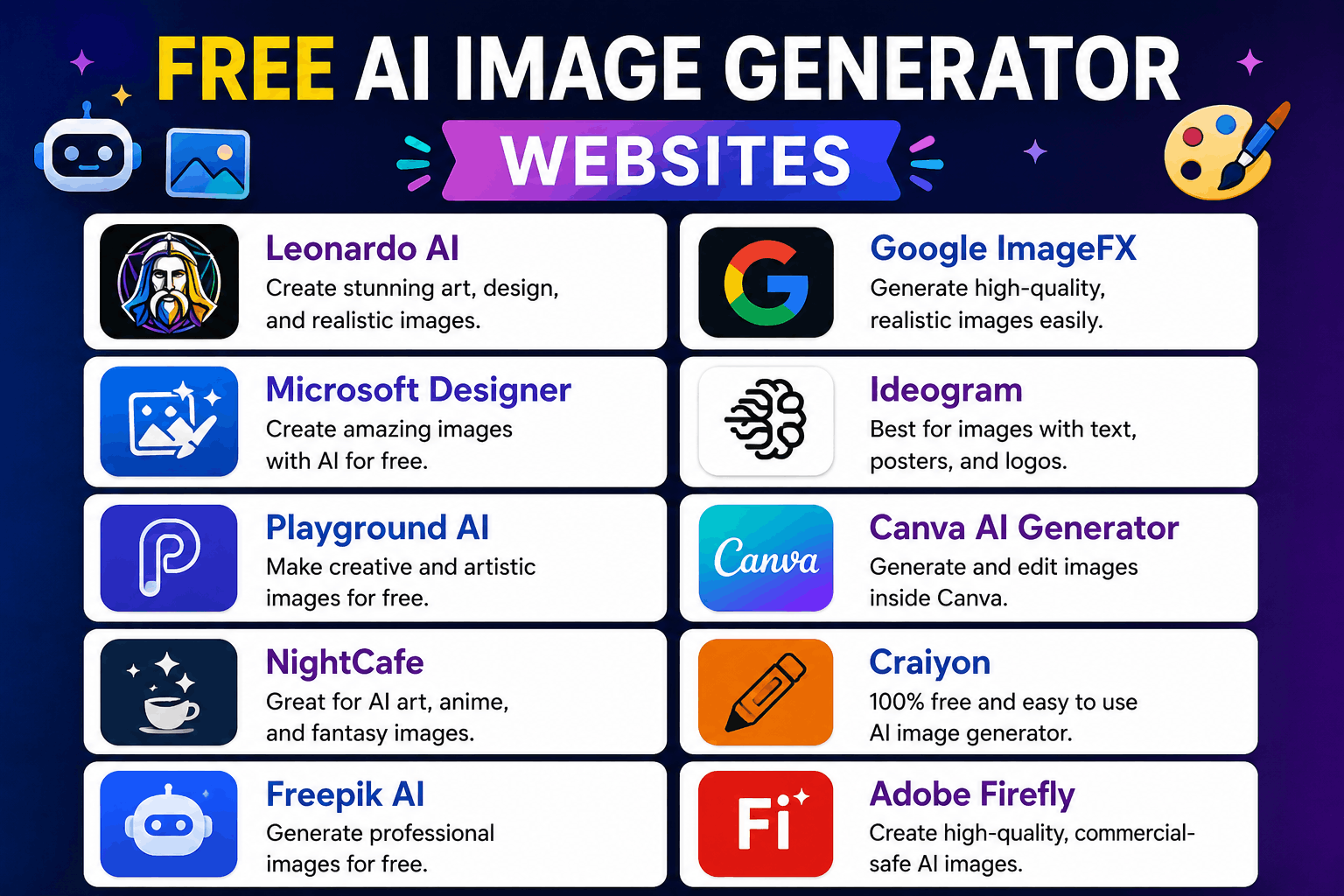
If you’re looking for free AI image generator websites that are actually useful, these are the ones worth trying.
What AI Image Generators Actually Do
If you’re completely new to this, here’s the simple version.
You type a description like:
“A futuristic gaming room with neon lights and dual monitors”
The AI creates an image based on your text.
Some tools create realistic photos.
Others focus more on:
- Anime art
- Digital painting
- Logos
- Fantasy art
- Social media graphics
The quality depends heavily on the prompt you give.
That’s something I learned after getting some truly terrible results early on.
1. Leonardo AI
This became one of my favorite free AI image generators surprisingly fast.
I originally tried it for YouTube thumbnails, but ended up using it for:
- Wallpapers
- Character art
- Blog graphics
- Gaming designs
The free version gives enough daily credits for testing ideas without immediately forcing payment.
What I Liked
The image quality looked polished even with simple prompts.
One thing that stood out was how customizable it felt compared to other free tools.
You can choose styles, models, and image dimensions quite easily.
Real Experience
I once needed a futuristic tech background for a project. Leonardo generated something that looked close to professional concept art after only a few prompt adjustments.
That honestly surprised me.
Best For
- Content creators
- Designers
- Gaming artwork
- Thumbnails
2. Canva AI Image Generator
Most people know Canva for graphic design, but its AI image generator is surprisingly useful.
I use Canva mainly because it combines:
- AI image creation
- Editing
- Text
- Templates
all in one place.
That saves a lot of time.
Instead of generating images in one tool and editing them elsewhere, you can do everything inside Canva.
Best Feature
Easy workflow.
Especially for beginners who don’t want complicated settings.
Real Use Case
I created:
- Instagram posts
- Shopify banners
- TikTok thumbnails
without opening Photoshop once.
Limitation
The free AI generations are limited daily.
Still useful though.
3. Bing Image Creator
This one shocked me because it’s completely free and powered by advanced AI models.
I tested it expecting average results.
Instead, some images looked incredibly realistic.
What Makes It Good
It handles:
- Realistic scenes
- Fantasy art
- Cinematic images
- Anime-style artwork
surprisingly well.
Funny Mistake I Made
My early prompts were way too short.
I typed:
“cool room”
and got random furniture chaos.
Detailed prompts improved results massively.
Example:
“Modern gaming setup with RGB lights, dual monitors, dark room, cinematic lighting”
Much better.
Best For
- Free realistic images
- Social media content
- Wallpapers
- Experimenting with prompts
4. Adobe Firefly
Adobe entering AI image generation made a lot of sense.
Firefly feels cleaner and more professional than many random AI tools online.
I tested it mainly for text effects and social media visuals.
What I Noticed
The interface feels beginner-friendly.
It doesn’t overwhelm you with confusing options.
Useful Features
- AI image generation
- Text effects
- Generative fill
- Style variations
Best For
- Graphic designers
- Social media creators
- Marketing visuals
One Small Downside
Free credits can disappear quickly if you experiment too much.
5. Craiyon
This one used to be called DALL·E Mini.
It’s not the most realistic AI generator, but it’s fun and completely beginner-friendly.
Honestly, some results look hilarious.
But that’s part of the charm.
Why People Still Use It
- Free access
- No complicated setup
- Quick image generation
Best Use Cases
- Funny concepts
- Meme ideas
- Rough creative inspiration
Not ideal for professional thumbnails though.
6. Pixlr AI Image Generator
Pixlr surprised me because it combines editing tools with AI generation.
That combination is useful.
You can:
- Generate images
- Edit backgrounds
- Add text
- Resize graphics
without switching apps repeatedly.
Real-Life Example
I once created a quick ecommerce banner in under 15 minutes using Pixlr and Canva together.
Years ago, that would’ve taken much longer.
Best For
- Quick edits
- Blog images
- Ecommerce graphics
- Social media posts
7. NightCafe
NightCafe feels more community-focused compared to some other AI image websites.
People share prompts, styles, and artwork publicly.
That’s actually helpful when you’re learning prompt writing.
What I Learned Here
Prompt quality matters more than people think.
Changing just a few words can completely change the result.
Good For
- Artistic styles
- Fantasy artwork
- Creative experimentation
One Thing I Liked
The community examples helped me improve my own prompts faster.
8. DeepAI Image Generator
This is one of the simplest AI image generators online.
No fancy interface.
No overwhelming dashboard.
Just type prompt → generate image.
Good For Beginners
Especially if you’re testing AI image tools for the first time.
Limitations
The realism isn’t always as strong as premium platforms.
But for free testing and simple ideas, it works fine.
How to Write Better AI Image Prompts
This is the part most beginners struggle with.
I definitely did.
At first, I wrote prompts like:
“cool car”
Then wondered why results looked random.
Detailed prompts create dramatically better images.
A Simple Prompt Structure That Works
Try including:
- Subject
- Style
- Lighting
- Colors
- Camera angle
- Mood
Example:
“Realistic black sports car parked in Tokyo at night with neon lights and cinematic rain reflections”
That’s much stronger than:
“sports car”
Helpful Words That Improve Results
These words genuinely helped improve my images:
- Cinematic lighting
- Realistic
- Ultra detailed
- 4K
- Soft shadows
- Neon lighting
- Minimalist
- Anime style
- Professional photography
You don’t need all of them every time, but they help guide the AI better.
Common Mistakes Beginners Make
Using Extremely Short Prompts
This is the biggest one.
AI tools need details.
More context usually creates better results.
Expecting Perfect Hands
Almost every AI image generator struggles with hands sometimes.
I’ve seen:
- Extra fingers
- Twisted hands
- Missing arms
Don’t panic if it happens.
Generate variations or edit manually.
Ignoring Image Size
Different platforms need different dimensions.
For example:
- YouTube thumbnails → widescreen
- TikTok → vertical
- Instagram posts → square
Always choose correct image dimensions before generating.
Overediting Images
I made this mistake constantly.
Sometimes AI images already look good enough.
Adding too many filters and effects can ruin them.
How I Personally Use AI Image Generators
Here’s my actual workflow most days.
For Blog Posts
I generate:
- Feature images
- Tech illustrations
- AI-themed graphics
For YouTube
I create:
- Thumbnail concepts
- Backgrounds
- Character art
For Social Media
I make:
- Quick post designs
- Quote graphics
- Story backgrounds
For Fun
Honestly sometimes I just test ridiculous prompts to see what happens.
AI image tools are surprisingly entertaining when experimenting creatively.
Are Free AI Image Generators Worth Using?
Yes — especially for beginners.
A few years ago, creating professional-looking visuals required:
- Expensive software
- Design skills
- Hours of editing
Now you can create decent artwork with:
- A browser
- A prompt
- Some creativity
That doesn’t mean AI replaces real designers completely.
Good design still requires taste, editing, and human ideas.
But AI dramatically speeds up the process.
The biggest lesson I learned is that AI image generators work best when treated like creative assistants, not magic buttons.
The tools generate the visuals.
You provide the imagination, direction, and final touch that makes the image actually feel useful.
