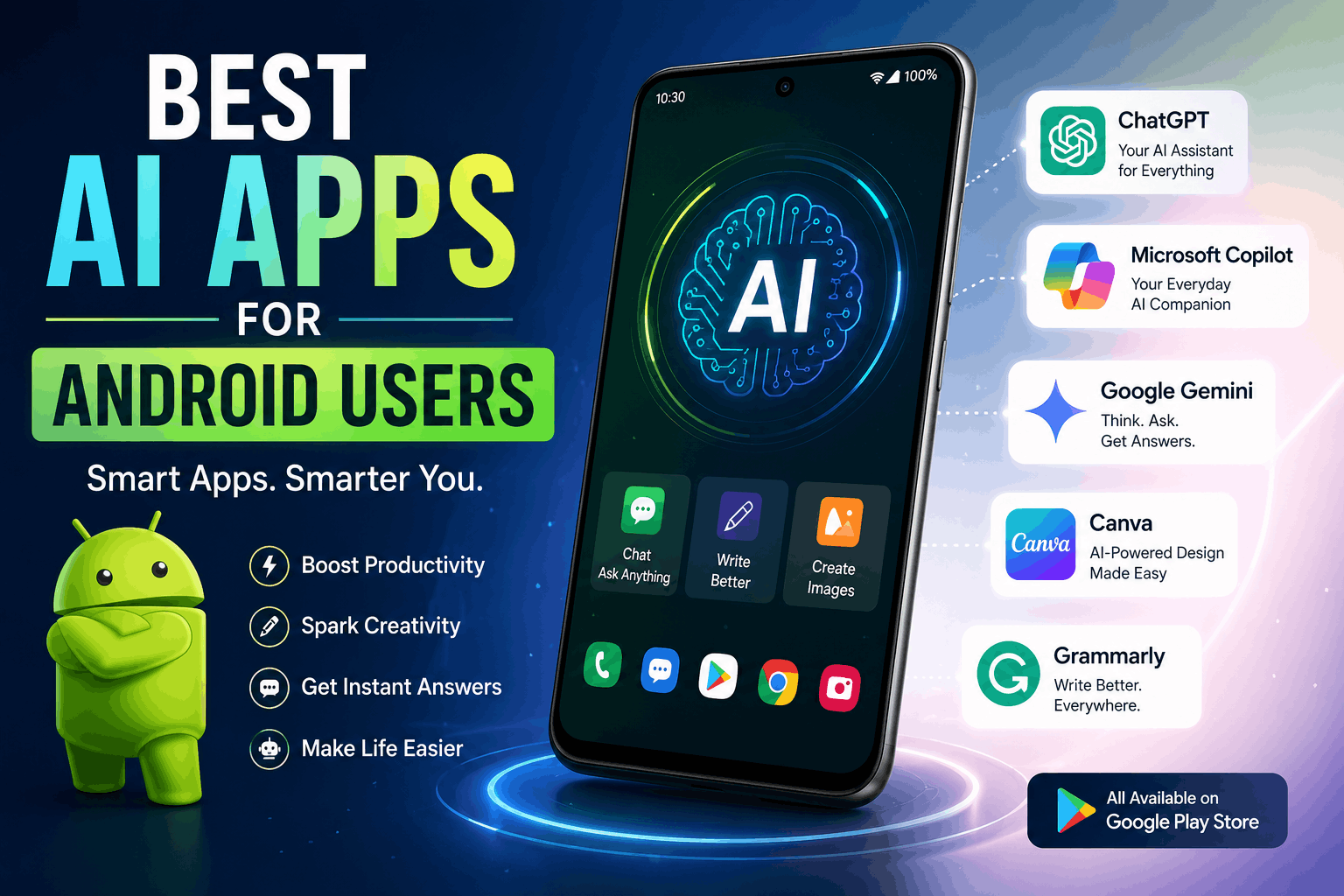
A few months ago, my phone started feeling less like a smartphone and more like a survival tool for work.
I was editing videos on the go, replying to clients while outside, fixing grammar mistakes before sending emails, creating thumbnails from the backseat of a car, and trying to organize content ideas before I forgot them.
At one point I realized something strange:
Most of the work I used to do only on a laptop was slowly moving to my Android phone.
That’s when I seriously started testing AI apps for Android.
Some were genuinely useful.
Others looked impressive in ads but became annoying after five minutes. A few apps drained battery so badly that my phone felt like a portable heater.
After months of trying different AI apps for writing, editing, productivity, studying, and content creation, I found a few that actually help in real daily situations.
These aren’t just “fun AI experiments.”
These are apps I’d realistically keep installed.
What Makes an AI App Actually Useful?
A lot of AI apps promise impossible things.
You’ll see claims like:
- “Earn money instantly”
- “One-click viral content”
- “Perfect AI editing”
Reality is usually less dramatic.
The AI apps worth using are the ones that:
- Save time
- Reduce repetitive work
- Make tasks easier
- Work smoothly on mobile
That’s what matters most on Android.
Especially when you’re trying to do quick work while multitasking.
1. ChatGPT Android App
This is probably the AI app I use most frequently.
At first I thought I’d only use it occasionally for random questions.
Now I use it for:
- Writing ideas
- Email drafts
- YouTube scripts
- Study help
- Daily planning
- Brainstorming content
Real Experience
One night I got stuck writing a blog intro for almost an hour.
I opened ChatGPT on my phone, asked for a few intro ideas, rewrote them naturally, and finally finished the article.
That saved me from staring at a blank screen endlessly.
What Makes It Useful on Android
Voice input.
You can literally talk instead of typing long prompts.
That becomes surprisingly convenient when multitasking.
Best For
- Students
- Freelancers
- Bloggers
- Content creators
- Everyday productivity
2. Canva
Canva became one of my favorite Android apps unexpectedly.
I originally downloaded it just for thumbnails.
Now I use it for:
- Instagram posts
- YouTube thumbnails
- Shopify banners
- Stories
- Resume designs
The AI features help speed things up massively.
Features I Use Most
- Background remover
- AI image generator
- Magic Resize
- Magic Write
Real Situation
I once created an entire promotional Instagram post while waiting outside a shop.
A few years ago, that would’ve required a laptop.
Now it’s possible directly from Android.
Best For
- Social media creators
- Small businesses
- Students
- Ecommerce stores
3. CapCut
If you create short videos, CapCut is honestly hard to ignore.
I tested several mobile editing apps, but CapCut feels smoother than most.
The AI tools help with:
- Auto captions
- Background removal
- AI effects
- Voice enhancement
- Video templates
What Surprised Me
Auto captions.
Editing subtitles manually used to be painfully slow.
Now CapCut generates captions within minutes.
Still not perfect though.
I’ve seen it completely misunderstand words sometimes.
Always review captions before posting.
Best For
- TikTok creators
- YouTubers
- Instagram Reels
- Short-form content
4. Grammarly Keyboard
This app quietly became one of the most useful tools on my phone.
Especially when replying to:
- Emails
- Messages
- Client chats
- Social posts
Why It Helps
Typing fast on Android often creates:
- Awkward sentences
- Typos
- Missing punctuation
Grammarly fixes many of those automatically.
One Thing I Learned
Don’t blindly accept every suggestion.
Sometimes Grammarly removes personality from casual writing.
Balance matters.
5. Notion
I installed Notion thinking I’d use it occasionally for notes.
Now my entire content planning system basically lives inside it.
With AI integration, it helps:
- Organize ideas
- Summarize notes
- Plan projects
- Create outlines
Real Example
I dumped random blog ideas into Notion during a late-night brainstorming session.
The AI helped organize them into actual content plans later.
That saved huge amounts of mental clutter.
Best For
- Productivity
- Students
- Creators
- Planning tasks
6. Google Gemini
Google’s AI assistant works surprisingly well on Android because it integrates naturally with Google services.
I tested it mainly for:
- Quick research
- Summaries
- Productivity help
- Voice interaction
Best Feature
Integration with Android feels smooth.
Especially if you already use:
- Gmail
- Google Docs
- Google Drive
- Google Maps
One Observation
Sometimes responses feel slightly more formal compared to ChatGPT.
Still useful though.
7. Adobe Express
This app became useful when I needed fast graphic edits on mobile.
It combines:
- AI tools
- Design templates
- Editing features
without becoming overly complicated.
What It’s Good For
- Social media posts
- Flyers
- Quick branding
- Marketing visuals
Helpful Feature
AI text effects and quick resizing save time.
Especially when posting on multiple platforms.
8. Perplexity AI
This app feels like a smarter search engine.
I use it when regular Google results feel overloaded with SEO-heavy articles.
What Makes It Useful
It gives direct answers with sources.
That helps during:
- Research
- Studying
- Quick fact-checking
Real Experience
I tested it while researching AI tools for a blog post and found information faster than scrolling through multiple websites manually.
9. Lensa AI
I originally downloaded this app out of curiosity.
Then I ended up using it more than expected for:
- Profile pictures
- Portrait edits
- Background blur
- AI photo enhancement
Honest Opinion
Some AI portrait styles look amazing.
Others look terrifyingly unrealistic.
Experimentation matters.
Best For
- Social media users
- Content creators
- Portrait editing
10. Microsoft Copilot
This app surprised me because it mixes:
- AI chat
- Writing help
- Research
- Image generation
into one assistant.
What I Used It For
- Summarizing text
- Brainstorming ideas
- Quick research
- AI-generated visuals
Best Feature
It feels productivity-focused instead of purely entertainment-focused.
How I Actually Use AI Apps Daily
Most people think AI apps are only for tech enthusiasts.
Honestly, they’ve become practical daily tools now.
Here’s roughly how I use them.
Morning
I use:
- ChatGPT
- Notion
for planning tasks and organizing content ideas.
Afternoon
Usually:
- Canva
- Grammarly
- Gemini
for writing, graphics, and quick work tasks.
Evening
Mostly:
- CapCut
- Perplexity
- Lensa
for editing, research, and content creation.
Common Mistakes Android Users Make With AI Apps
Installing Too Many Apps
I made this mistake early.
I downloaded almost every trending AI app I saw online.
Result:
- Storage problems
- Battery drain
- Confusing workflows
Most people only need 3–5 good AI apps.
Expecting AI to Do Everything Perfectly
AI tools still make mistakes.
Especially with:
- Captions
- Writing tone
- Image generation
- Research accuracy
Human checking still matters.
Ignoring Privacy
Be careful uploading:
- Personal documents
- Sensitive information
- Client files
Not every AI app handles data the same way.
Copy-Pasting AI Content Without Editing
This creates robotic content quickly.
Always personalize:
- Captions
- Scripts
- Blog posts
- Emails
That human touch matters.
Best AI Apps Based on Different Needs
For Students
- ChatGPT
- Notion
- Perplexity AI
For Content Creators
- Canva
- CapCut
- Lensa AI
For Productivity
- Gemini
- Microsoft Copilot
- Grammarly
For Social Media
- Canva
- CapCut
- Adobe Express
Are AI Apps Worth Using on Android?
Honestly, yes.
Especially now that phones are powerful enough to handle creative work smoothly.
A few years ago, serious editing and content creation mostly required laptops.
Now Android apps can handle:
- Video editing
- AI writing
- Graphic design
- Research
- Productivity
from a phone sitting in your pocket.
The biggest benefit isn’t that AI apps magically make work disappear.
It’s that they reduce friction.
Instead of getting stuck on repetitive tasks, you can move faster and focus more on creativity, ideas, and actually finishing projects.
That’s the part that made the biggest difference for me.
