
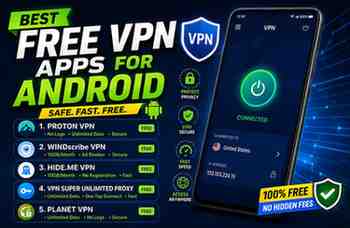
A few years ago, I downloaded my first free VPN app because a website wouldn’t open on my phone. I searched “best free VPN” on the Play Store, installed the first app with flashy graphics, and thought I was done.
Big mistake.
Within two days, my phone started showing random popup ads everywhere. Battery life dropped badly, and internet speed became terrible. Later I realized the app was overloaded with trackers and suspicious permissions.
That experience taught me something important: not every free VPN is worth trusting.
Since then, I’ve tested many VPN apps on Android phones including Samsung, Xiaomi, Infinix, and Vivo devices. Some worked surprisingly well for basic browsing, while others slowed the phone so much that even YouTube buffering became painful.
The good news is there are still a few reliable free VPN apps that actually help without turning your phone into an ad machine.
If you want safer browsing, access to blocked websites, or extra privacy while using public Wi-Fi, these VPN apps are worth checking out.
What a VPN Actually Does
Before talking about apps, let’s keep this simple.
A VPN (Virtual Private Network) creates a secure connection between your phone and the internet.
In normal browsing:
- Your internet provider can see traffic activity
- Public Wi-Fi networks can be risky
- Some websites may track your location
A VPN helps by:
- Hiding your IP address
- Encrypting internet traffic
- Changing virtual location
- Adding extra privacy
But here’s the important part:
A VPN does not magically make you invisible online.
Some free VPN ads make crazy promises like:
- “100% anonymous forever”
- “Unlimited speed with zero limits”
- “Hack-proof protection”
Most of those claims are exaggerated.
1. Proton VPN
This is probably the free VPN I trust the most personally.
I first tried it while using public Wi-Fi at a café because I didn’t want random networks accessing my browsing data.
What impressed me immediately:
- No annoying popup ads
- Clean interface
- Stable connection
- Decent speed for browsing
What I Like
- Unlimited free data
- Strong privacy reputation
- Simple for beginners
- Works smoothly on Android
Downsides
The free version gives limited server locations.
Sometimes servers become crowded during busy hours.
Still, for normal browsing and privacy, it works very well.
Best For
- Daily browsing
- Public Wi-Fi protection
- Beginners wanting a clean VPN app
2. Windscribe VPN
I started using Windscribe after a friend recommended it for watching region-restricted content.
The free plan gives monthly data instead of unlimited usage, but speeds were surprisingly good during my testing.
Features I Noticed
- Easy server switching
- Built-in ad blocking options
- Good app design
- Stable video streaming performance
Free Limit
You usually get limited monthly data unless you confirm email and complete setup.
So it’s not ideal for heavy downloading every day.
Real Experience
I used it mostly for:
- Browsing safely
- Accessing blocked pages
- Watching videos occasionally
It handled those tasks smoothly.
3. TunnelBear
TunnelBear is one of the easiest VPN apps I’ve ever used.
Honestly, it almost feels too simple at first.
The app has a friendly design with animated bears connecting tunnels between countries. Sounds silly, but beginners usually find it less confusing than technical VPN apps.
What Makes It Good
- Extremely beginner-friendly
- One-tap connection
- Lightweight app
- Good privacy reputation
The Main Limitation
The free plan includes limited monthly data.
So if you watch lots of HD videos or download large files, the data disappears quickly.
Best Use Case
Perfect for:
- Casual browsing
- Students
- First-time VPN users
4. Hide.me VPN
I tested Hide.me on an older Android phone that struggled with heavy apps.
Surprisingly, it worked smoothly without slowing the device too much.
Some VPN apps consume a lot of battery and RAM, but Hide.me felt relatively lightweight.
Good Things About It
- Clean Android app
- No forced ads during use
- Decent free servers
- Strong privacy features
What Could Be Better
Server choices are limited in the free version.
Sometimes speed fluctuates during peak hours.
Still, it’s reliable for normal browsing sessions.
5. PrivadoVPN
This app surprised me because I honestly expected another average free VPN.
Instead, speeds were better than expected for streaming and browsing.
Things I Liked
- User-friendly setup
- Decent connection stability
- Good for occasional streaming
- Simple interface
Limitations
The free version has monthly limits.
Heavy users may finish data quickly.
But for occasional VPN use, it’s a solid option.
6. Opera Browser
This isn’t a full VPN app in the traditional sense, but it deserves mention.
I sometimes use Opera’s built-in VPN for quick browsing sessions when I don’t want to install another app.
Why It’s Convenient
- VPN built directly into browser
- No separate setup needed
- Good for basic browsing privacy
- Lightweight solution
Important Limitation
The VPN only protects traffic inside the Opera browser.
Apps outside the browser remain unaffected.
Still useful for quick private browsing sessions.
How to Choose a Safe Free VPN
After trying many random VPN apps, I noticed some warning signs that people should never ignore.
Avoid VPNs That:
- Show too many ads immediately
- Ask for strange permissions
- Have no company information
- Promise unrealistic speeds
- Force suspicious popups
If a VPN app looks sketchy, trust your instincts.
Permissions You Should Check
One thing I always do now:
I review app permissions before installing.
A VPN app generally does not need:
- Contacts access
- SMS access
- Camera access
If you see strange permission requests, avoid the app.
How to Install a VPN on Android
For beginners, setup is actually very easy.
Basic Steps
- Open the Google Play Store
- Search for the VPN app
- Install it
- Create an account if required
- Tap “Connect”
- Allow VPN connection permission
That’s it.
You’ll usually see a small VPN icon near the top of your phone once connected.
Real Situations Where VPNs Helped Me
Using Public Wi-Fi
I often connect to café or hotel Wi-Fi while traveling.
Public networks aren’t always secure, so a VPN adds extra protection.
Accessing Websites That Wouldn’t Load
Sometimes certain websites or services become difficult to access normally.
Switching VPN servers occasionally solved the issue.
Safer Browsing During Travel
While testing apps or logging into accounts on unfamiliar networks, VPN protection feels reassuring.
Common VPN Mistakes People Make
Believing “Free Unlimited Everything”
If a free VPN promises:
- Unlimited speed
- Unlimited data
- Zero ads
- Full premium features forever
there’s usually a catch somewhere.
Good VPN services cost money to maintain.
Leaving VPN Connected 24/7
I used to do this constantly.
Result:
- Faster battery drain
- Slower browsing sometimes
- Higher mobile data usage
Now I turn VPN on only when needed.
Using Unknown APK Files
Never download VPN APKs from random websites.
I once installed a modified VPN app that caused popup ads and suspicious notifications.
Stick to trusted sources like:
- Google Play Store
- Official company websites
Ignoring Internet Speed Loss
Every VPN slightly affects speed because traffic gets encrypted.
If your internet becomes extremely slow:
- Change servers
- Disconnect temporarily
- Try another VPN
Which Free VPN Felt Best Overall?
After trying many options, here’s my personal experience:
Best Overall Free VPN
Proton VPN
Because:
- Unlimited free usage
- Clean experience
- No aggressive ads
- Good privacy reputation
Best Beginner-Friendly VPN
TunnelBear
Simple and easy to understand.
Best Lightweight Option
Hide.me VPN
Worked nicely even on weaker Android devices.
Final Thoughts
Free VPN apps can genuinely help with privacy and safer browsing, but choosing the right one matters a lot.
I learned the hard way that random “super-fast free VPN” apps often create more problems than solutions. Some overload phones with ads, while others quietly collect unnecessary data.
The safest approach is simple:
- Stick to trusted VPN apps
- Avoid suspicious permissions
- Download only from official sources
- Don’t expect unrealistic performance
For normal Android users, a reliable free VPN is usually enough for:
- Browsing securely
- Using public Wi-Fi
- Extra privacy
- Accessing certain websites
You don’t need the most expensive premium plan just to browse more safely on your phone.
And honestly, once you start using a good VPN properly, you notice how much cleaner and safer the browsing experience feels compared to sketchy free apps floating around online.
