
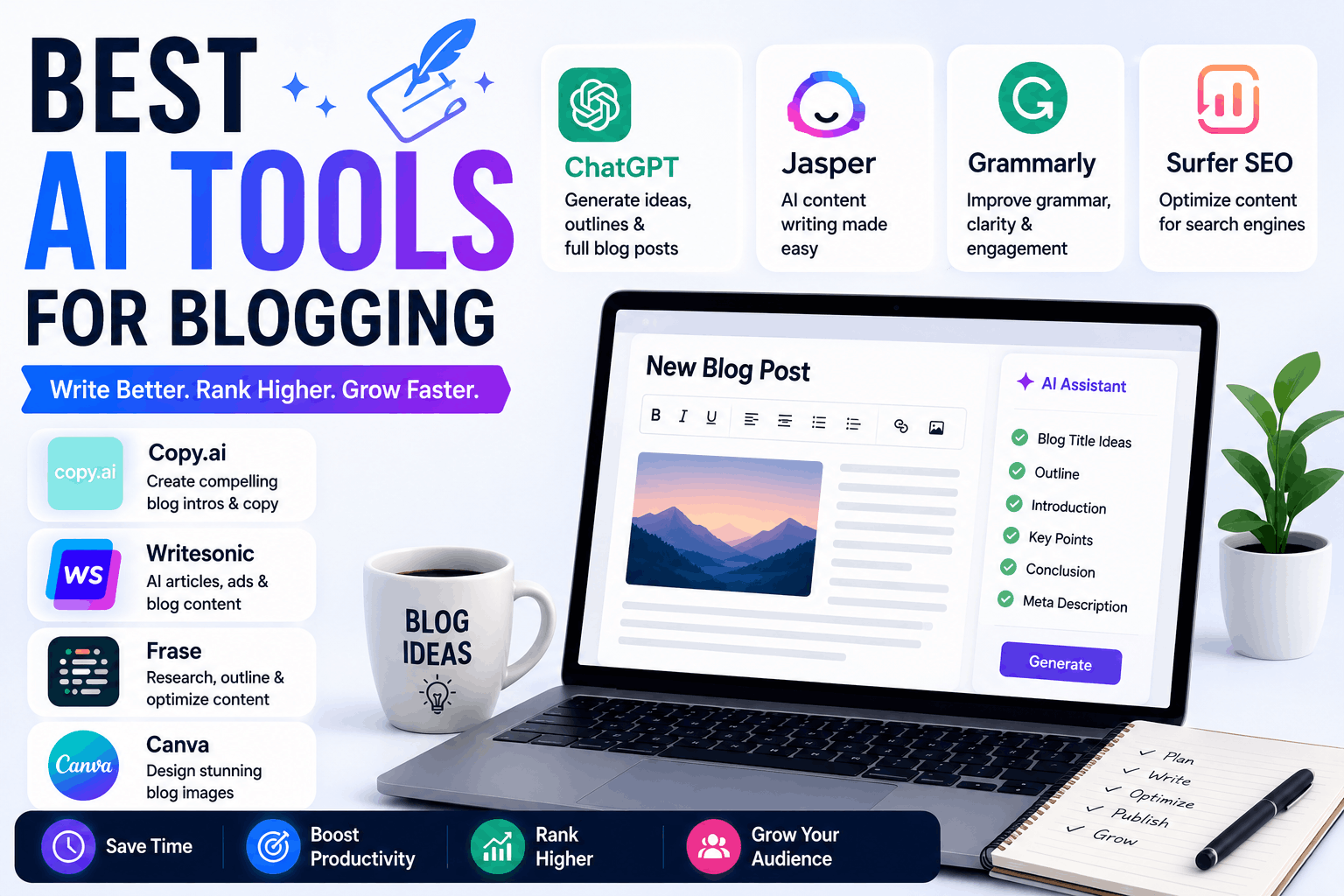
A few years ago, blogging felt much simpler.
You’d open a laptop, write whatever came to mind, add a few images, hit publish, and hope people found your article through search engines.
Now?
Blogging feels closer to running a mini media company.
You need:
- Article ideas
- SEO optimization
- Graphics
- Social media promotion
- Keyword research
- Internal linking
- Readability improvements
- Consistent publishing
At one point, I genuinely started feeling burned out trying to manage everything alone.
That’s when I began testing AI tools for blogging.
Some tools saved hours every week.
Others created content so robotic that it sounded like a confused school textbook. I once tested an AI article generator that repeated the same keyword almost thirty times in one post.
Not exactly reader-friendly.
After months of experimenting, I realized the best AI blogging tools are the ones that help you write faster without destroying your personality and writing style.
If you’re building a blog right now — especially in tech, freelancing, AI, or digital products — these are the AI tools that actually helped me in real blogging situations.
What AI Tools Are Actually Good For in Blogging
Before jumping into the list, here’s something important.
AI tools are best used for support tasks.
Not full autopilot blogging.
They help most with:
- Research
- Outlines
- SEO
- Brainstorming
- Editing
- Graphics
- Productivity
But human experience still matters heavily.
Readers can usually tell when an article has zero personality.
That’s why I never publish fully AI-generated content without editing it first.
1. ChatGPT
This is still my most-used blogging tool overall.
Not because it magically writes perfect articles.
But because it helps speed up almost every stage of blogging.
I use it for:
- Blog topic ideas
- Outlines
- Intro variations
- Rewriting awkward paragraphs
- Meta descriptions
- Headings
- Research summaries
Real Experience
One night I spent nearly an hour trying to write an article intro.
Nothing sounded natural.
I opened ChatGPT, generated a few intro ideas, mixed parts together, rewrote them in my own tone, and finally got unstuck.
That’s where AI helps the most:
Reducing creative friction.
Biggest Lesson I Learned
Your prompts matter a lot.
Weak prompt:
“Write blog”
Better prompt:
“Write a casual and beginner-friendly blog intro about AI tools for students.”
Huge difference.
2. Grammarly
This tool quietly improved my writing more than I expected.
At first, I only used Grammarly for grammar mistakes.
Then I realized it was catching:
- Repetitive wording
- Overly long sentences
- Confusing phrasing
- Tone problems
What Changed My Blogging
Shorter sentences.
Online readers scroll fast.
Huge blocks of text usually reduce readability.
Grammarly helped me simplify my writing naturally.
One Thing to Avoid
Don’t blindly accept every suggestion.
Sometimes Grammarly removes personality from casual writing.
Balance matters.
3. Surfer SEO
This tool became useful once I started caring more about Google rankings.
Surfer SEO helps optimize:
- Keywords
- Headings
- Structure
- Readability
- Content depth
Real Observation
SEO tools can become dangerous if you overuse them.
I made that mistake early.
I became so focused on keyword scores that my articles started sounding unnatural.
Now I treat SEO suggestions as guidance, not strict rules.
Best Use
Improving already-written articles rather than forcing SEO while writing.
4. Canva
Honestly, blogging without graphics feels incomplete now.
Canva became one of my favorite tools because it saves time massively.
I use it for:
- Featured images
- Pinterest graphics
- Blog banners
- Social media posts
- Infographics
AI Features I Actually Use
- Background remover
- AI image generator
- Magic Resize
- Magic Write
Real Example
I created an entire blog featured image from my phone while outside waiting for food.
A few years ago, that would’ve required Photoshop and a laptop.
5. Notion AI
This tool completely changed how I organize blog ideas.
Before Notion, my ideas were scattered everywhere:
- Notes app
- Random screenshots
- WhatsApp messages to myself
- Browser tabs
Messy system.
Now I keep:
- Article ideas
- Drafts
- SEO plans
- Content calendars
inside one workspace.
AI Features That Help
- Summarizing notes
- Organizing ideas
- Creating outlines
- Cleaning rough writing
Best For
Bloggers handling multiple content projects simultaneously.
6. Perplexity AI
This tool became my favorite research assistant surprisingly fast.
Instead of opening fifteen browser tabs for basic research, I use Perplexity to quickly understand topics.
Why Bloggers Should Care
Research takes huge amounts of time.
Especially for:
- Tech blogs
- AI content
- Product reviews
- Tutorials
Perplexity speeds that up dramatically.
Best Part
It usually provides sources alongside answers.
That feels more trustworthy than random AI-generated claims.
7. QuillBot
I use QuillBot mostly for rewriting awkward paragraphs.
Sometimes while blogging, you write something that technically makes sense but sounds weird when read aloud.
QuillBot helps smooth those sections out quickly.
What It’s Good At
- Simplifying text
- Rewriting repetitive wording
- Improving flow
- Shortening paragraphs
Real Lesson
Don’t overuse paraphrasing.
Too much rewriting can make articles lose personality.
8. Jasper AI
Jasper feels more marketing-focused compared to general AI writing tools.
I tested it heavily for:
- Affiliate content
- Product descriptions
- Email copy
- Landing pages
What I Liked
The templates help speed up repetitive writing tasks.
Especially for ecommerce and affiliate blogs.
Downside
The pricing can feel expensive for beginners.
Especially if your blog isn’t earning yet.
9. Writesonic
Writesonic works well for fast content generation.
I mainly tested it for:
- Blog outlines
- SEO article structures
- Ecommerce content
- Headline ideas
Real Observation
The tool is good for generating first drafts quickly.
But human editing is still necessary.
Otherwise articles can sound generic.
10. Leonardo AI
Most bloggers focus only on writing tools.
But visuals matter more now than many people realize.
I use Leonardo AI for:
- Blog graphics
- AI-themed illustrations
- Featured images
- Tech backgrounds
What Surprised Me
Some AI-generated images genuinely looked professional enough for blog headers after small edits.
Helpful Tip
Always match image style with your blog niche.
Random inconsistent graphics make blogs feel unprofessional.
My Actual AI Blogging Workflow
A lot of people imagine bloggers using AI to instantly generate entire articles.
Honestly, my workflow looks more like this.
Step 1: Research Topics
I use:
- ChatGPT
- Perplexity AI
for:
- Topic ideas
- Audience questions
- Trend research
Step 2: Create Outline
AI helps organize:
- Headings
- Structure
- Subtopics
This speeds things up massively.
Step 3: Write First Draft
Sometimes AI helps generate:
- Intro ideas
- Rough sections
- Meta descriptions
Then I rewrite naturally.
Step 4: Add Personal Experience
This is the most important part.
I add:
- Real observations
- Mistakes
- Examples
- Honest opinions
That human touch changes everything.
Step 5: Improve Readability
I use:
- Grammarly
- QuillBot
to clean awkward sections.
Step 6: Optimize SEO
Finally:
- Surfer SEO
- Headline improvements
- Internal linking
before publishing.
Common Mistakes Bloggers Make With AI Tools
Publishing Raw AI Content
This is the biggest mistake.
Readers notice robotic writing quickly.
Always edit manually.
Overusing Keywords
SEO matters.
But stuffing keywords everywhere destroys readability.
Write naturally first.
Optimize second.
Ignoring Personal Experience
The blogs people remember usually contain:
- Stories
- Observations
- Real examples
AI can assist, but genuine experience still matters heavily.
Using Too Many Tools
I made this mistake myself.
I installed:
- Multiple AI writers
- SEO apps
- Research tools
- Editing software
It became overwhelming.
Honestly, most bloggers only need a few solid tools.
Best AI Tool Combination for Beginners
If you’re starting a blog today, this setup is honestly enough:
- ChatGPT → Writing and brainstorming
- Grammarly → Editing
- Canva → Graphics
- Perplexity AI → Research
- Notion AI → Organization
That combination covers most blogging needs without becoming overly complicated.
What AI Changed Most About Blogging
The biggest difference wasn’t writing speed.
It was mental energy.
Instead of getting stuck for hours:
- Thinking of titles
- Fixing awkward intros
- Organizing outlines
- Searching for graphics
I could focus more on:
- Better storytelling
- Better ideas
- Consistency
- Actually publishing content regularly
That’s where AI tools genuinely help bloggers the most.
Not by replacing creativity.
But by removing repetitive work that normally slows creators down.
